Rockchip RK3588
So, I finally get to a Rockchip.
I must say this hardware is highly ambiguous, with plenty of issues but no fewer merits. I bought it for video encoding, surely. Unexpectedly, it has turned into a permanent member of my home lab.
If you compare the overall CPU performance, for example, with the BCM2712 (Raspberry Pi 5), it turns out the Rockchip is a whopping 30% faster than Broadcom’s – https://www.cpubenchmark.net/compare/4906vs6054/Rockchip-RK3588-vs-BCM2712.
The thermal profile is quite lighter as well. It’s practically impossible to heat it above 60 degrees:
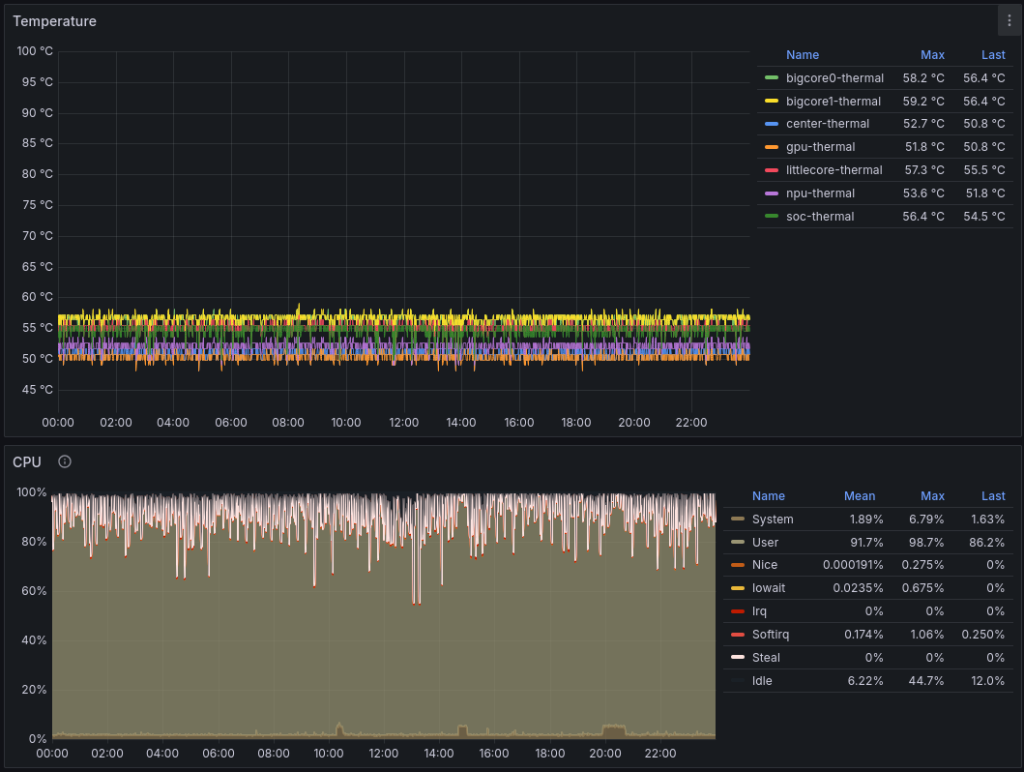
Right now, this board (Orange Pi 5 Plus) is running a Clickhouse database with tables containing nearly 1 billion records:
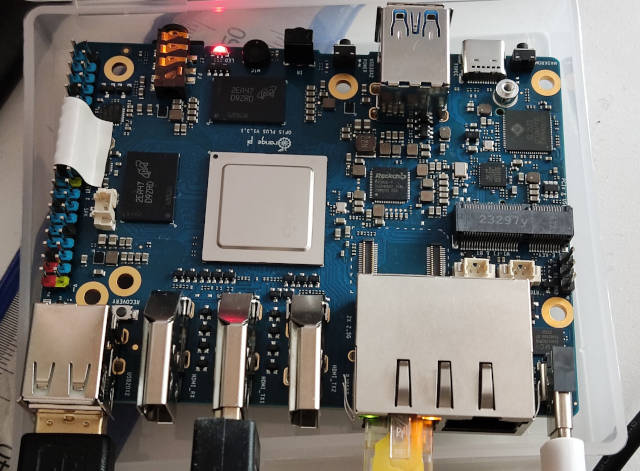
Maximum power consumption is 20W. But it consumes no more than 5W for only transcoding mode.
H264
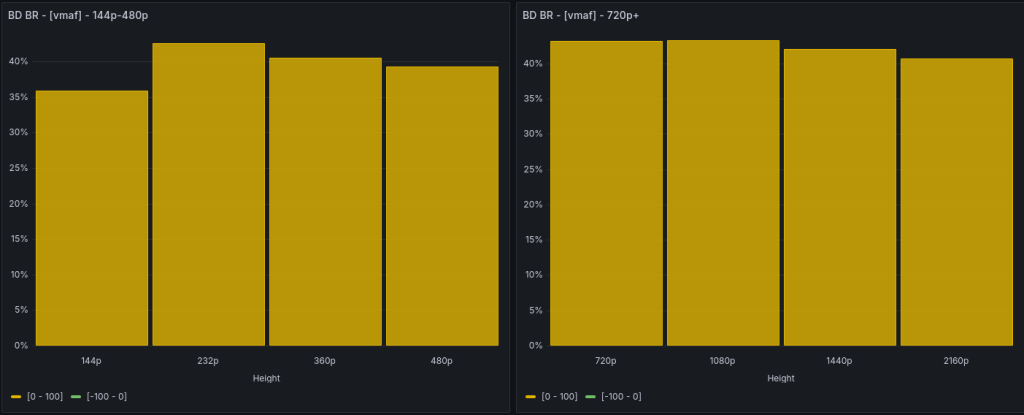
Comparing with multi-pass encoding of Nvidia or libx264/libx265 is pointless – the RKMPP implementation lacks b-frames. In terms of bitrate, it’ll get to an average disadvantage of over 40%:
The picture with the Intel A380 is roughly the same. I won’t even bother with a chart.
But for low/zero latency modes, for certain scenes, it’s quite comparable.
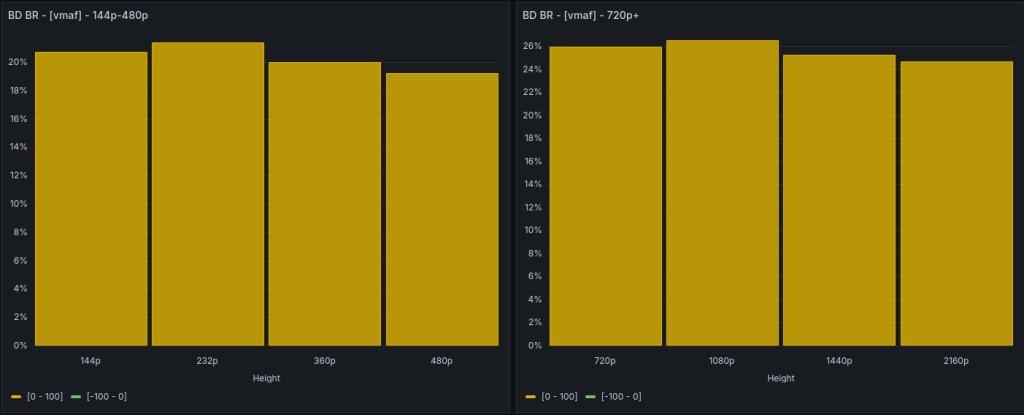
20% – 26% disadvantage in bitrate.
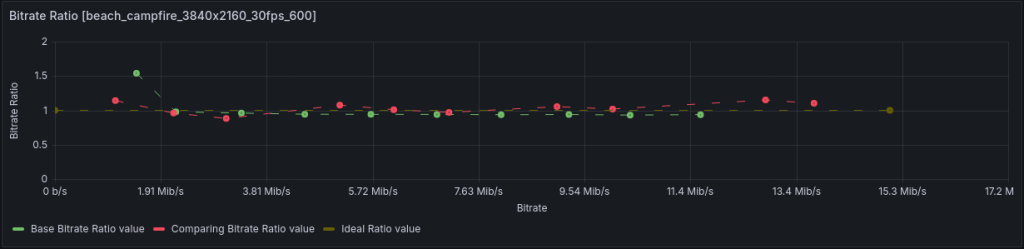
For static scenes at low bitrates, there’s a clear tendency to overshoot by 1.5x. Starting from 2.3 Mbps, the bitrate is sufficiently stable and close to the target.
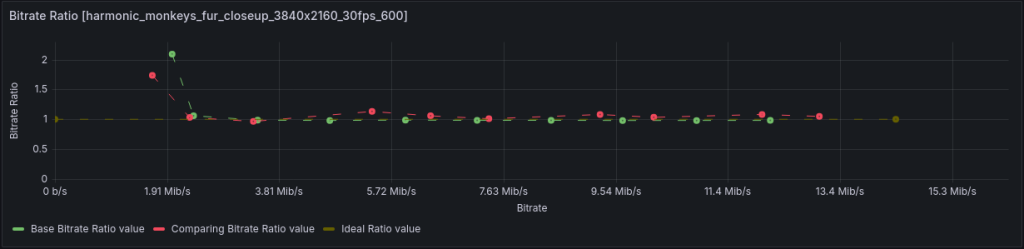
Compressing a more complex scene with monkey fur, when bitrate is insufficient, both codecs overshoot it. RKMPP more than 2x.
On scenes traditionally difficult for NVENC, like water ripples or waterfalls, both codecs behave almost identically and somewhat “disrespectful” to low bitrates:
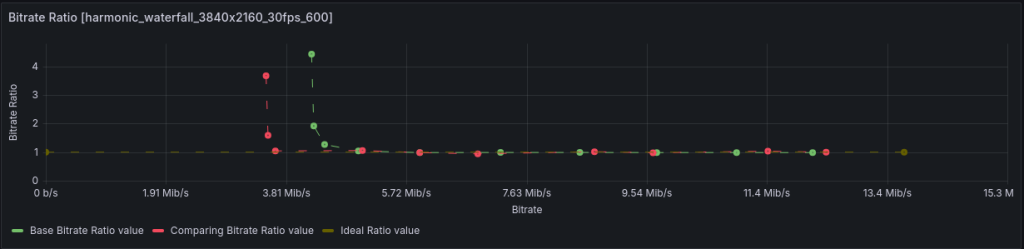
RKMPP increases the target bitrate of 1 Mbps by 4.43x, NVENC – by 3.85x.
The minimum difference of 16% bitrate between RKMPP and NVENC you’ll get while encoding teleconference-like videos. Moreover, at bitrates below 3 Mbps, the difference will be visually imperceptible, but in both cases, there will be pixelation artifacts.
Bitrate control is at an acceptable level – overshoot of around 15%.
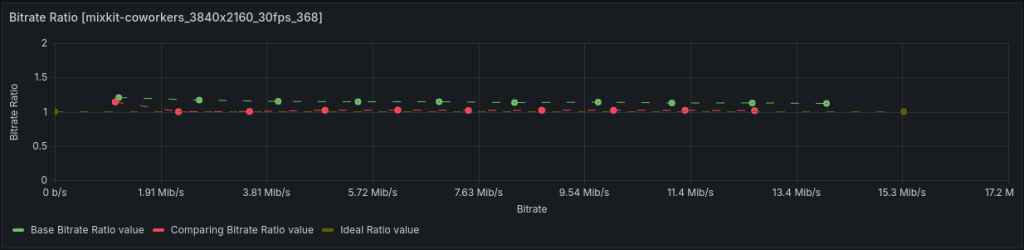
Comparison with libx264 zerolatency
Let’s look at the slow preset first:
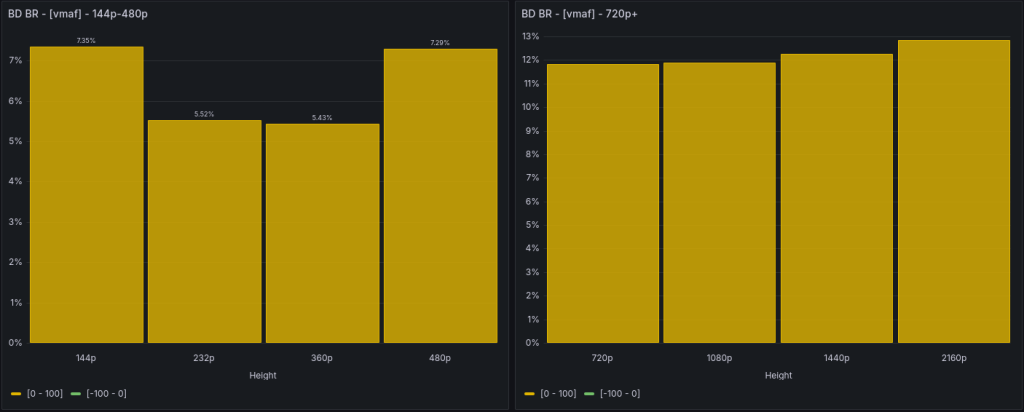
5% – 7% bitrate disadvantage for small frame sizes. And about 12% for 720p – 4K. Which, firstly, doesn’t seem critical, and secondly, who uses the slow preset with software codecs for streaming? We need to look at faster presets. And there, the picture is exactly the opposite! Comparison with the veryfast preset:
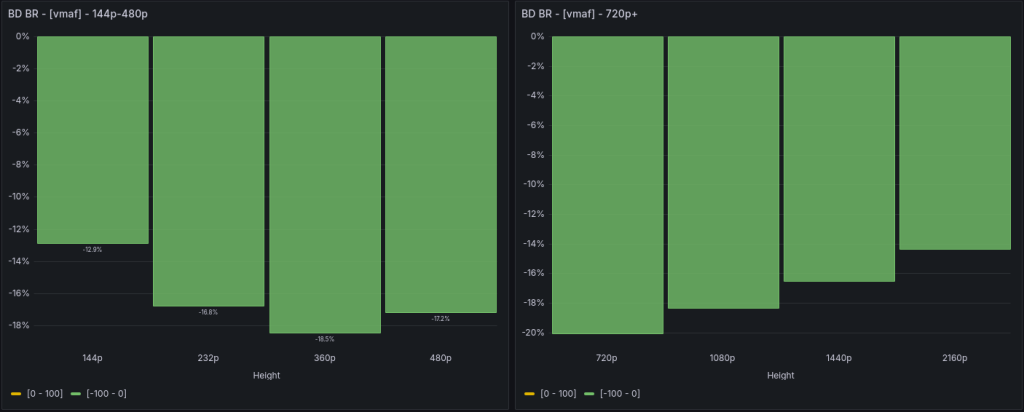
13% – 18% advantage for small frames and 14% – 20% for large ones.
Let’s look at the details.
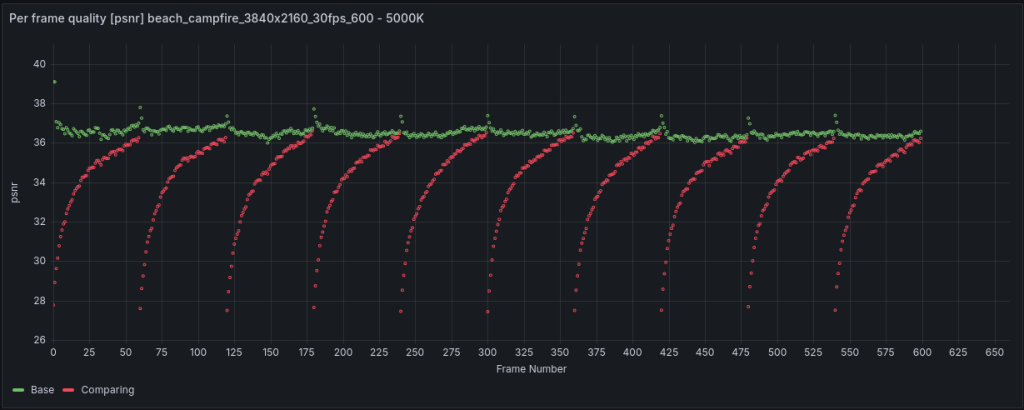
Static 4K video with a beach campfire.
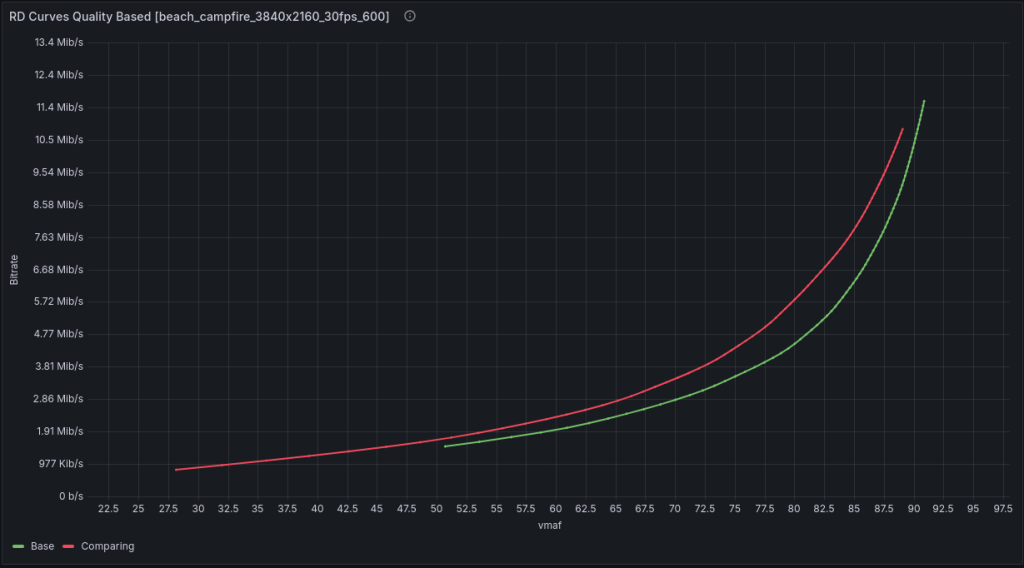
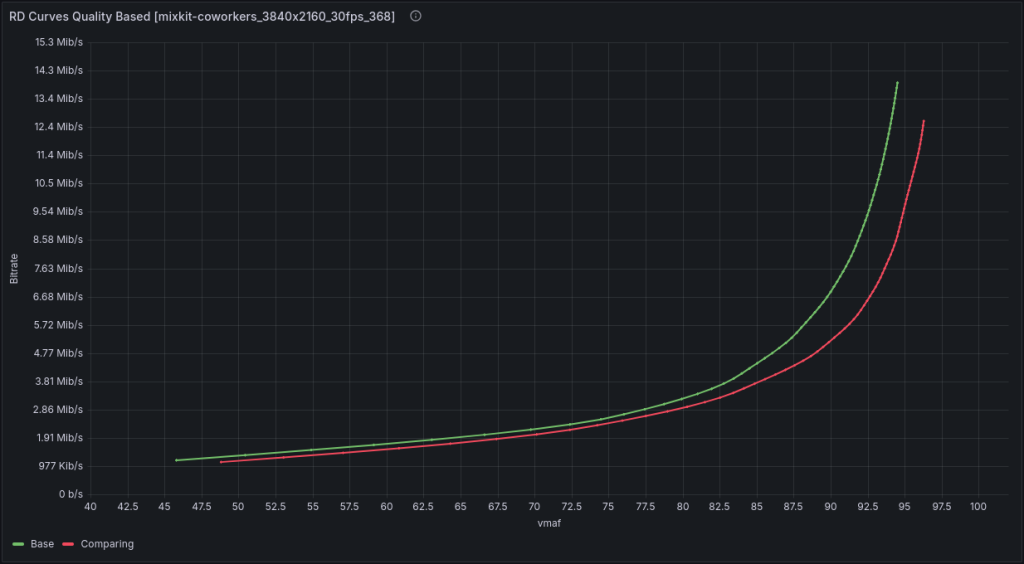
Here we observe a 23% bitrate advantage. The libx264 curve is slightly shifted to the left, indicating an overall reduction in bitrate.
The next diagram confirms it:
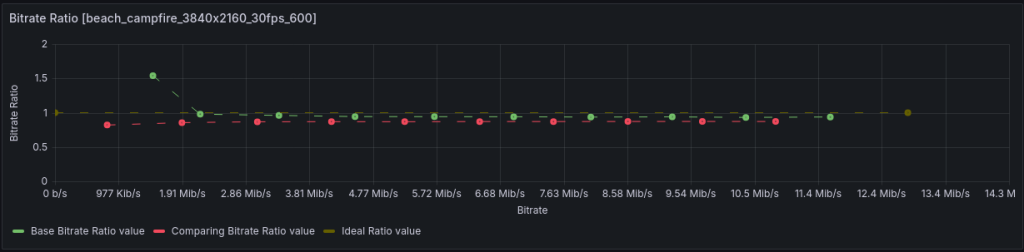
libx264 undercuts the bitrate by more than 13%. But it’s stable – it will definitely fit within the declared bandwidth.
Here you can observe the codecs’ work with quality per frame (green dots – RKMPP, red – libx264):
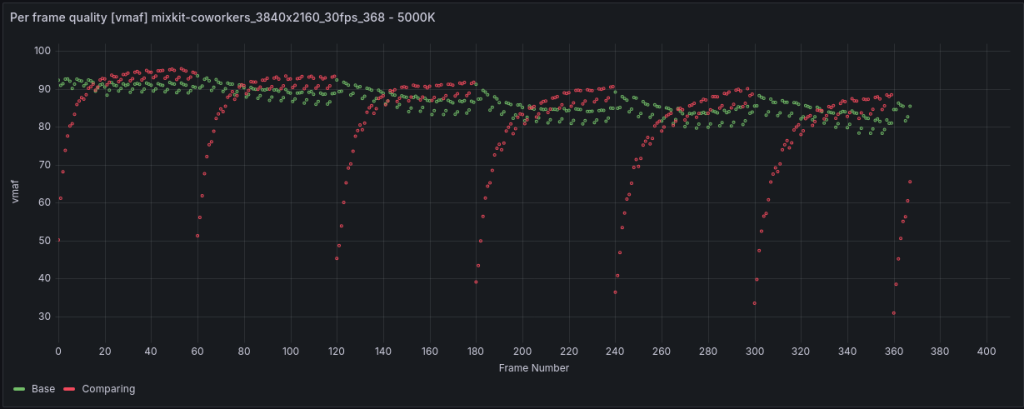
With teleconference content, the advantage is slightly smaller – 12%. But the per-frame quality chart looks more intricate.
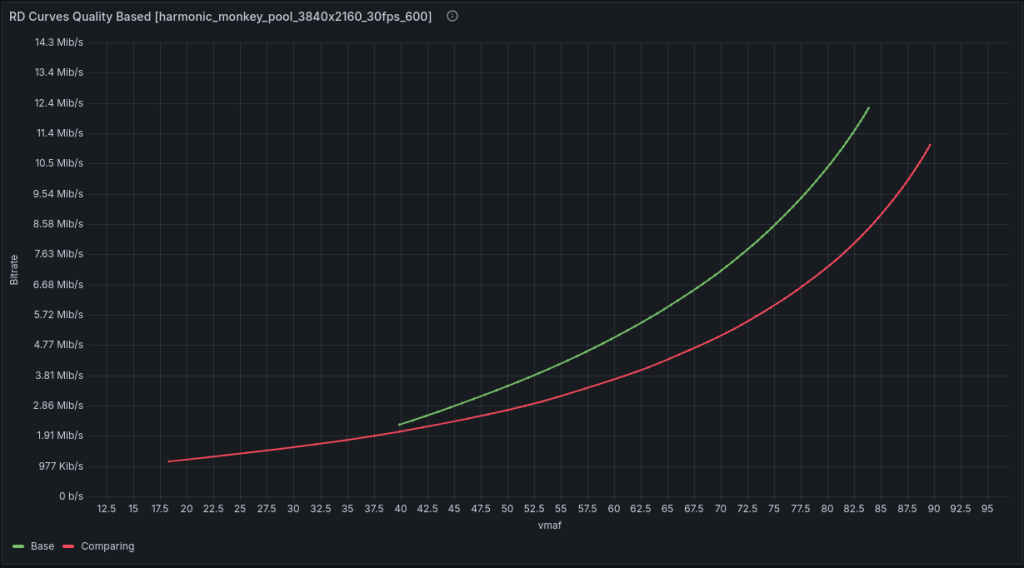
It’s harder to deal with monkeys for RKMPP (or rather, compressing the fur). Here we observe a 27% disadvantage – the Rockchip flatly refused to lower the bitrate below 2.26M for such a scene (for 1M target).
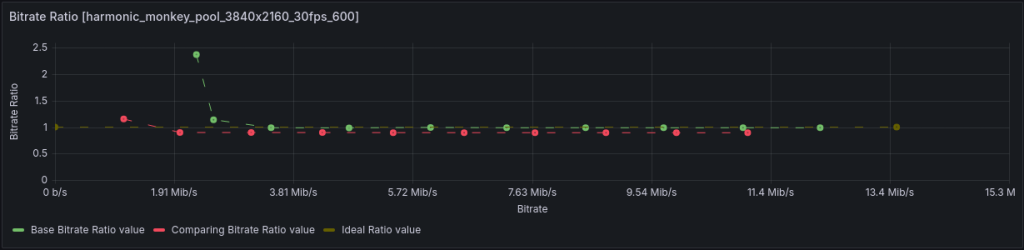
Intermediate conclusion for libx264 zerolatency. RKMPP confirms handling static scenes better. Lots of moving details are not its forte. If it lacks bitrate, it will readily overshoot to compensate.
Conclusion on H264 overall. The larger the frame size and the less motion in the scene, the smaller the quality difference between RKMPP and other codecs. It’s better not to use RKMPP for frames smaller than 720p.
HEVC
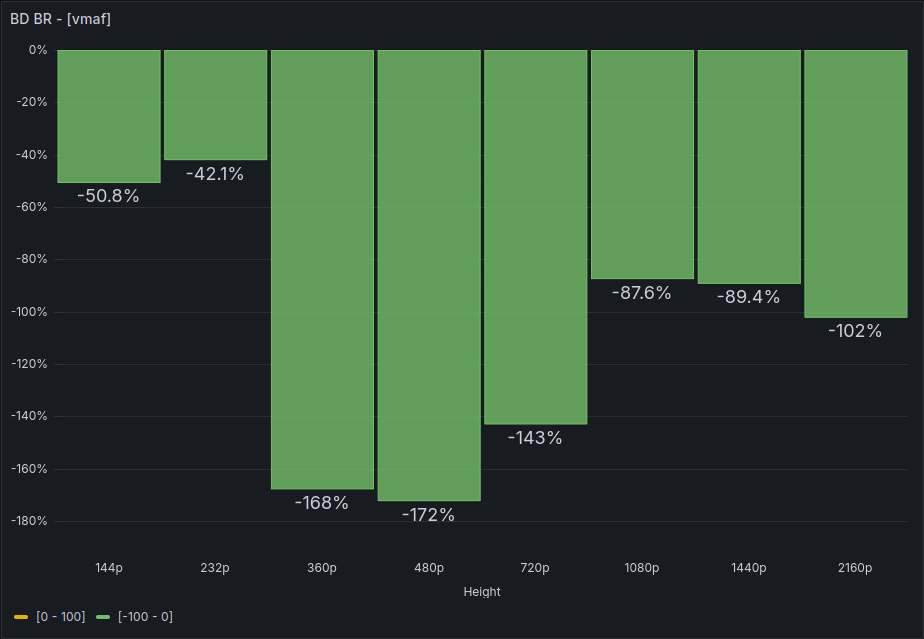
First, let’s compare the RKMPP’s HEVC and H264 implementations with each other. Strangely, HEVC is implemented much better than H264. This is indicated by a BDBR metric of -100% .. -200% – that’s a lot. Ideally, it should be at least -50%. For me, this is even more surprising because it would be more logical to allocate resources to optimize H264 rather than the “stillborn” HEVC. At least, it’s sorely lacking b-frames.
Comparison with NVENC
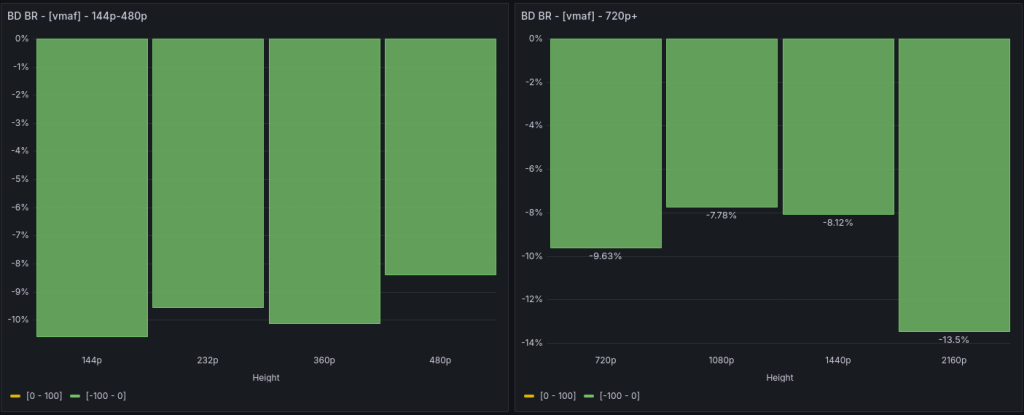
Advantage across all frame size ranges from 8% to 13%. The largest is at 4K.
When comparing with the p7 preset, the advantage naturally decreased, but for 4K, it still remains quite decent!
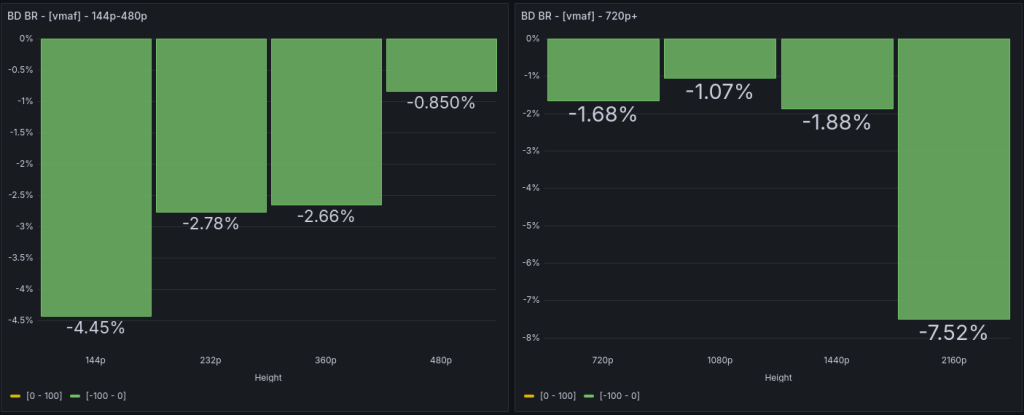
So, if you’re a 4K streamer using HEVC, then Rockchip will give you a clear advantage! Or a company transcoding broadcasts… 😉
Comparison with HEVC QSV
No data here yet, as there are issues running HEVC on the Intel card.
Comparison with zerolatency libx265
Data is being processed. I’ll add it soon.
Encoding Speed
First, let’s compare the RK3588’s own H264 and HEVC values:
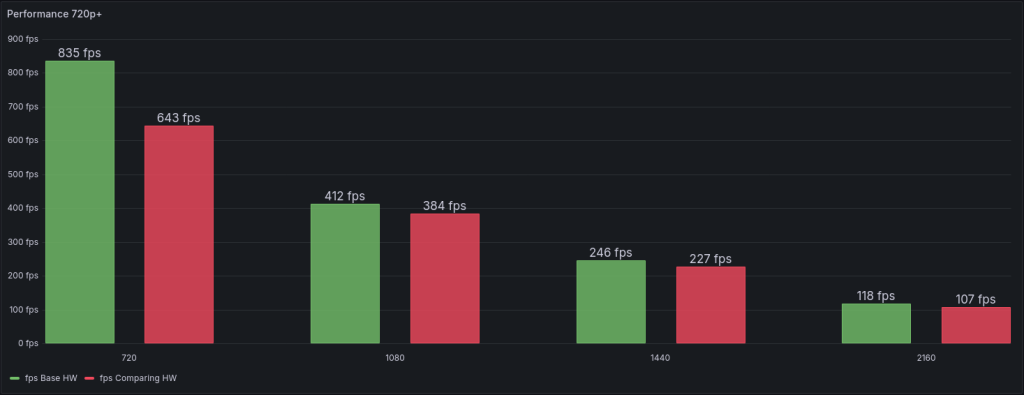
Yes, both codecs work at almost the same speed.
H264
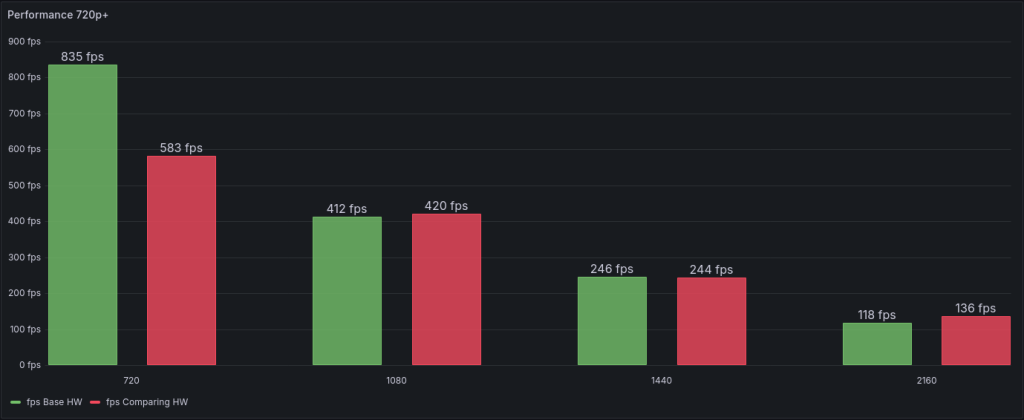
The Rockchip’s speed roughly matches the speed of the p1 preset (the fastest) of the Nvidia RTX 5060 card.
And it beats the Intel A380 card by several times:
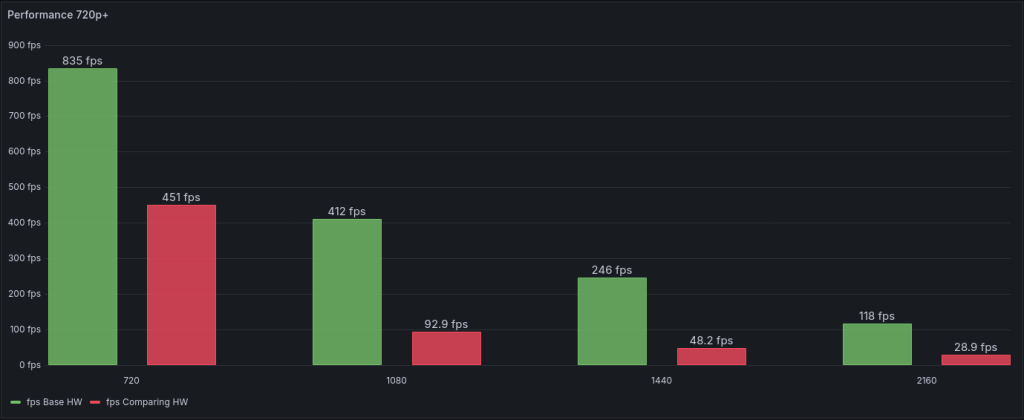
I’d like to clarify, the A380 has a rather strange peculiarity. Possibly, I haven’t figured out the exact problem yet, but the medium preset is the fastest one. It’s faster than veryfast, even. In terms of quality, there’s practically no difference between veryslow and veryfast – Intel A380 Test Results.
HEVC
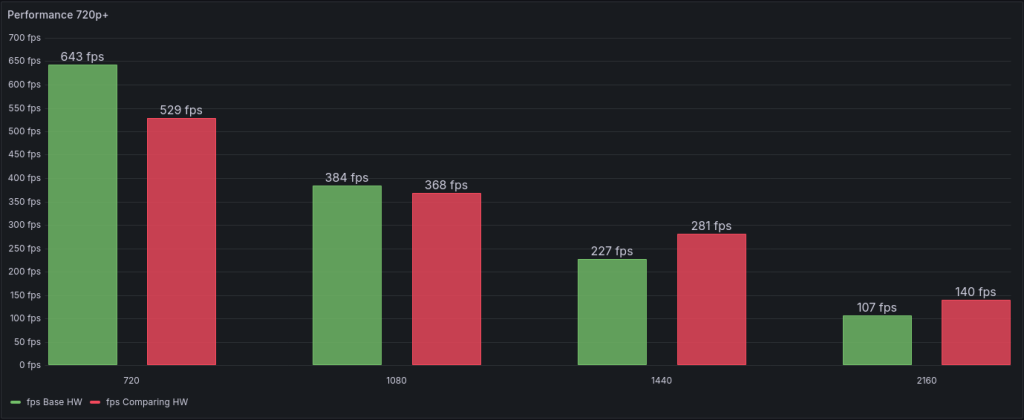
Again, when comparing with the RTX 5060, you can notice a speed advantage for 720p and 1080p. And a disadvantage for 1440p and 2160p frame sizes.
Conclusion
Personally, I really like the RK3588. The board with this processor is small, cheap, very low power consumption, and barely heats up. The same time, it surprisingly quickly encodes both H264 and HEVC. Yes, in terms of H264 encoding quality, it doesn’t quite match up to NVENC, for example. But this is at a lower cost of an order of magnitude than RTX A4000.
Defintely, HEVC part is implemented quite good.

Leave a Reply